Products
FreedomSoft produces desktop applications for academic and personal work. Two applications, FreedomTex and FreedomMedia, are complete and may be downloaded today. A third, FreedomSlides, is in development, and its section below describes what it is intended to do. Every application listed on this page is free of charge and will remain so.
FreedomTex
Available nowA complete LaTeX writing environment that runs on your own computer.
LaTeX remains the standard for theses, dissertations and journal submissions, because it produces typographic quality that ordinary word processors cannot match. Access to a convenient LaTeX environment, however, has increasingly been placed behind a paid subscription, which is a considerable burden for a student who must also pay tuition fees.
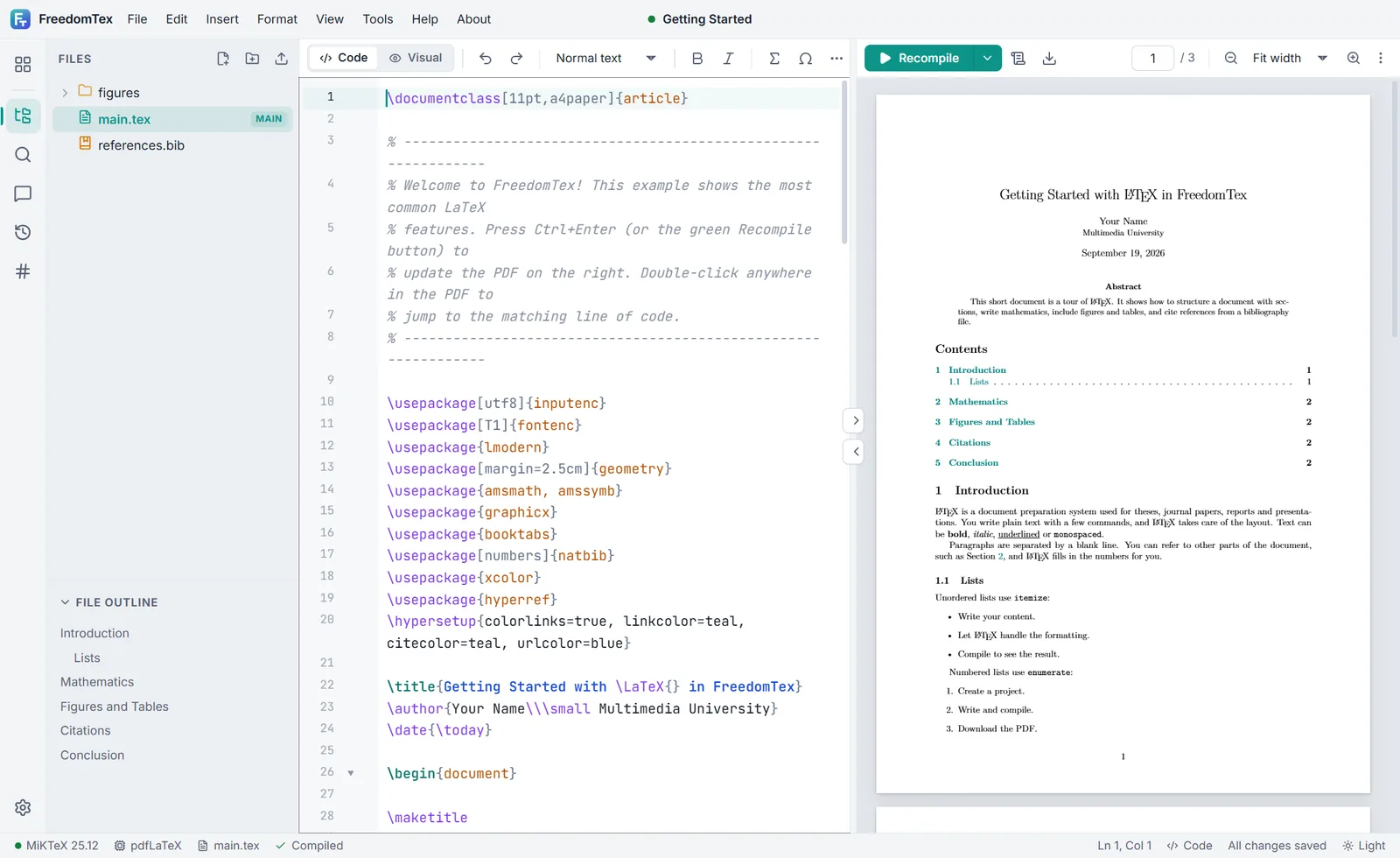
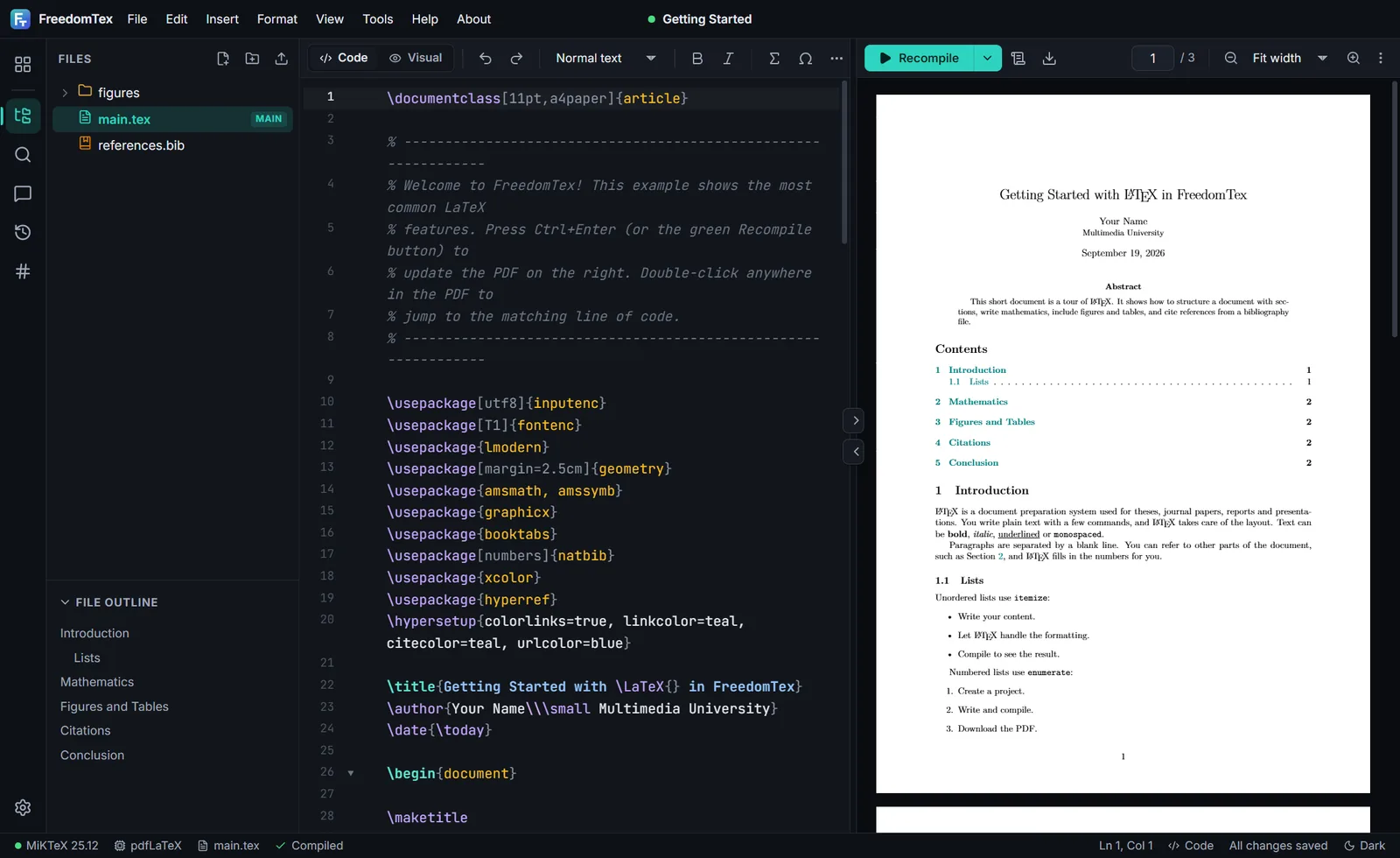
FreedomTex was written to remove that burden. It offers the working method that students expect from an online editor, namely source on one side and the finished document on the other, while running entirely on the local machine. A complete TeX distribution is included in the Windows installer, so a new user may install the application and compile a first document without any further preparation.
When a document requires a package that is not yet installed, FreedomTex identifies the package, asks for permission, and installs it together with everything that it depends upon. Bibliographies may be imported directly from a Zotero library, including collections managed with Better BibTeX, so that citations remain consistent with the reference manager already in use.
Principal features
- Live PDF preview, with movement in both directions between the source and the document
- Automatic detection and installation of missing LaTeX packages
- Templates for theses, IEEE and Elsevier articles, Beamer presentations, posters and more
- Reference import from Zotero, including Better BibTeX collections
- Visual editing mode, spell checking, word count, version history and Git support
- Light and dark themes, and full operation without an internet connection
FreedomMedia
Available nowA sealed vault for personal photographs and videos, with its own viewer and player.
Personal photographs and videos accumulate over many years, and they are ordinarily kept in plain folders on a laptop, an external drive or a shared computer. Anyone who gains access to the device, whether through loss, theft, repair or simple borrowing, also gains access to that material. Encrypting individual files offers only partial protection, because the file must be decrypted to an ordinary folder before it can be opened, and a readable copy is frequently left behind.
FreedomMedia addresses this problem by keeping personal media inside an encrypted vault that is opened with a passphrase known only to its owner. The essential design decision is that the vault does not hand its contents to any other program. A photograph is displayed by the photo viewer built into FreedomMedia, and a video is played by its own media player, so that material is decrypted only for the moment in which it is shown, and no readable copy is written to a temporary folder for another application to find.
The result is a private collection that behaves like an ordinary gallery. Albums may be browsed, videos may be played, and everything remains sealed when the vault is closed. As with every FreedomSoft application, the vault is stored on your own computer, and no account or internet connection is required.
Principal features
- As many vaults as you wish, each a single file with its own passphrase
- A built in photo viewer and media player, so that files are never opened elsewhere
- Import photographs and videos, and export them back out to ordinary files when required
- Icon, list and details views, with a status bar showing the count, total size and selection
- AES-256 authenticated encryption with an Argon2id key derived from the passphrase
- Operation entirely offline, with no account and no cloud service
FreedomSlides
In developmentOne presenter for the whole lecture, including the material that normally sits outside the slides.
A lecture or a conference presentation seldom consists of slides alone. The argument may require a published paper in PDF form, a live web page, a spreadsheet of results, a document written in Word, or a simulation written in Python or JavaScript. With conventional presentation software the speaker must leave the slides, open a second application, arrange the window, share the screen again, and then return. The interruption is familiar to every lecturer, and it weakens the thread of the argument.
FreedomSlides is designed so that this interruption is unnecessary. Material of any kind may be placed on a slide and shown in position, so that a PDF, a web page, a table of results or a running simulation forms part of the presentation itself rather than a departure from it. The presentation therefore holds the entire body of evidence, and it can be carried from one machine to another as a single item.
Existing work is not discarded. A PowerPoint presentation may be imported directly and presented or extended within FreedomSlides, so that years of previous teaching material remain usable. The application is intended to be a complete replacement for paid presentation software, and, in keeping with every FreedomSoft application, it is free.
Planned capabilities
- Direct import of existing PowerPoint presentations, without rebuilding them
- Slides that display PDF documents, web pages and HTML, Markdown and Word documents
- Tables and charts taken from Excel, CSV and JSON files
- Simulations and demonstrations written in Python or JavaScript, run on the slide
- A presenter view with speaker notes, timing and a preview of the next slide
- Export to PDF and to PowerPoint for colleagues who use other software
FreedomSoft software is always free. Each application on this page is supplied without charge, and no paid edition or subscription will be introduced later.